
Welcome to CardRestorers!
This guide includes everything you need to know to get started as a CardRestorers vendor and hit the ground running!
1. Double Check Your Profile
As a new vendor your profile will be pre-filled with the information you provided on your Vendor application, now is a good time to ensure that this is complete, up to date and accurate, including a profile picture for maximum visual appeal. This can be done via your Settings Page or by hovering over your username in the top right hand corner of the website and clicking “Settings”.
Please note, you will need to enter your current password and ensure you have the Terms acceptance checkbox ticked whenever making changes on this page, otherwise, you will not be able to save your changes.
2. Add Your Services
Next you will want to create your listings to promote your services, this can be done via the Add Listing Page or by pressing the gold “Add Listing” button in the top right hand corner of the website.
When making your Listings ensure you use clear titles, detailed descriptions. realistic turnaround times and any important information you feel Collectors should know when working with you such as pricing structure for example.
Also, ensure to upload High-Quality images to best showcase your work, and if you are creating custom images for the gallery you can make these 634 pixels wide by 475 pixels tall (w634xh475) or larger for best results. The 4:3 aspect ratio would also work and you can upload 10 images per Listing.
We recommend a minimum of two images and that listing images should not be a single image of your logo on it’s own, as this is already clearly displayed in your Profile Picture.
Before and After images of previously completed work will help showcase your ability, and remember that a strong portfolio can increase trust and help Collectors understand the quality of your services.
Example Listing:
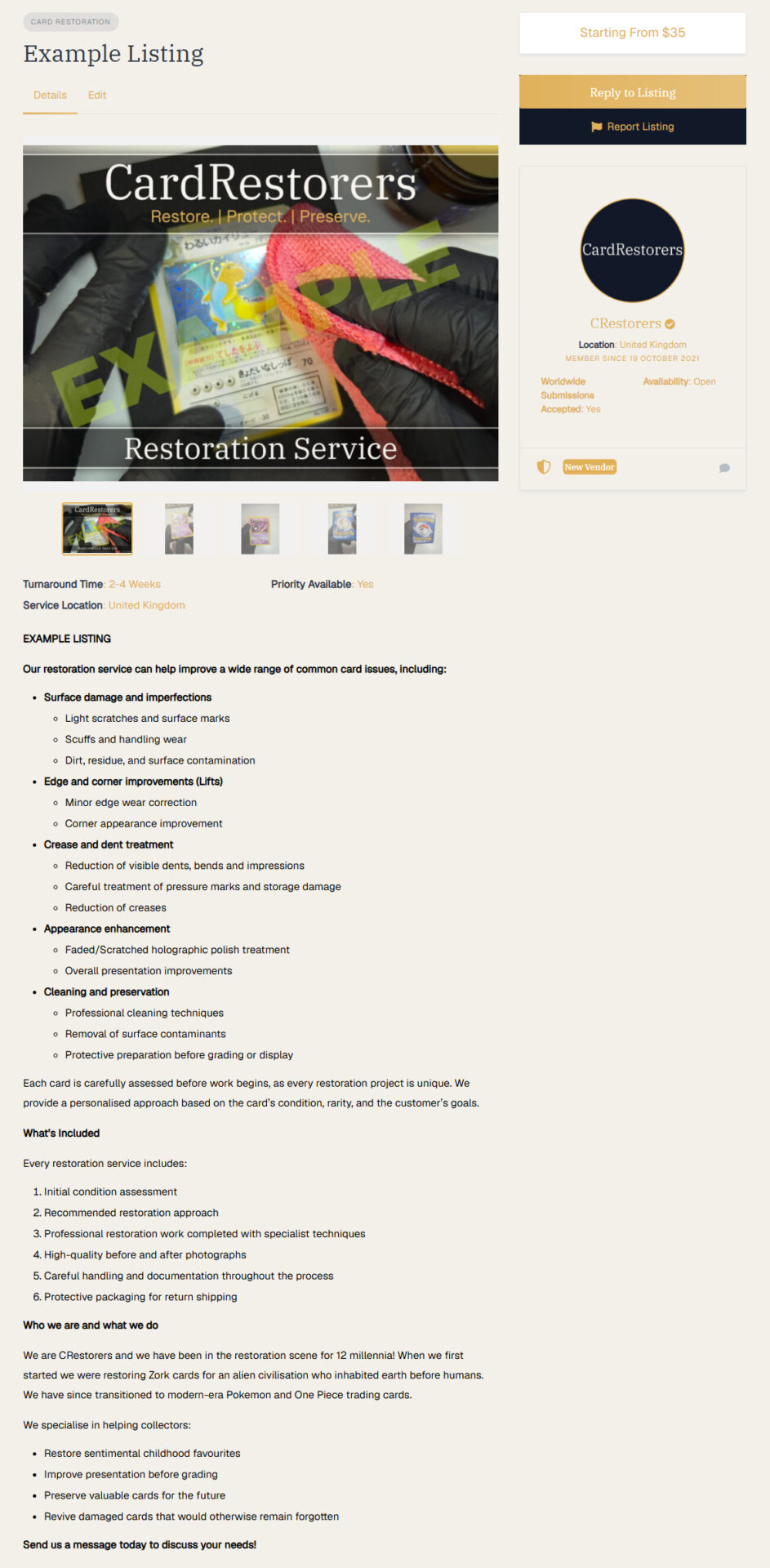
Please note: At CardRestorers we pride ourselves on a commitment to quality and therefore, low quality/low effort listings will be rejected.
A rejected listing will not go against you as a Vendor, and is purely to ensure consistent high quality service pages are presented to Collectors.
If your listing is rejected, you are free and actively encouraged to submit your listing again. Recommended changes to your submission would include additional information and/or images.
3. Don’t Stop Now!
So you have got your Vendor profile set up and your Listings are live, now is the perfect time to promote your services or just announce that you are on the CardRestorers platform! This is an incredible moment and should be celebrated so take to your social media platform of choice and let the people know!
Don’t forget to @ us so we can promote you further! (Instagram and TikTok: @CardRestorers)
4. Brand Assets!
As a registered Vendor on CardRestorers we do allow you to use our Brand Assets to help promote your profile and services online, providing you adhere to some general rules about how the CardRestorers brand assets specifically are presented i.e. do not squish or recolour the logo!
We will be adding more assets to this pack over time but for now it includes various Logos in different formats for you to use along with a copy of the guidelines.
Again, don’t forget to @ us so we can promote you further! (Instagram and TikTok: @CardRestorers)
Bonus. Best Practices For Success
Category Examples
Here are some general ideas for which services should go into each category. These are just for guidance if you are unsure, they are not strict rules. Use your own judgement depending on your service offering.
Card Cleaning: Simple Cleaning, Heavy dirt removal, Ink removal, etc.
Restoration: Crease removal, Dent fixing, Flattening, etc.
Pre-Grading Inspection: Pre-grading inspection, Damage Reports, Slab Cracking, etc.